Lighting(Beta)
The rig, from plot to paperwork.
Positions, fixtures, patch, power, data and cables in one project, drawn on the same 3D plot as the stage and Sound's gear. Add it to a project from the project rail.
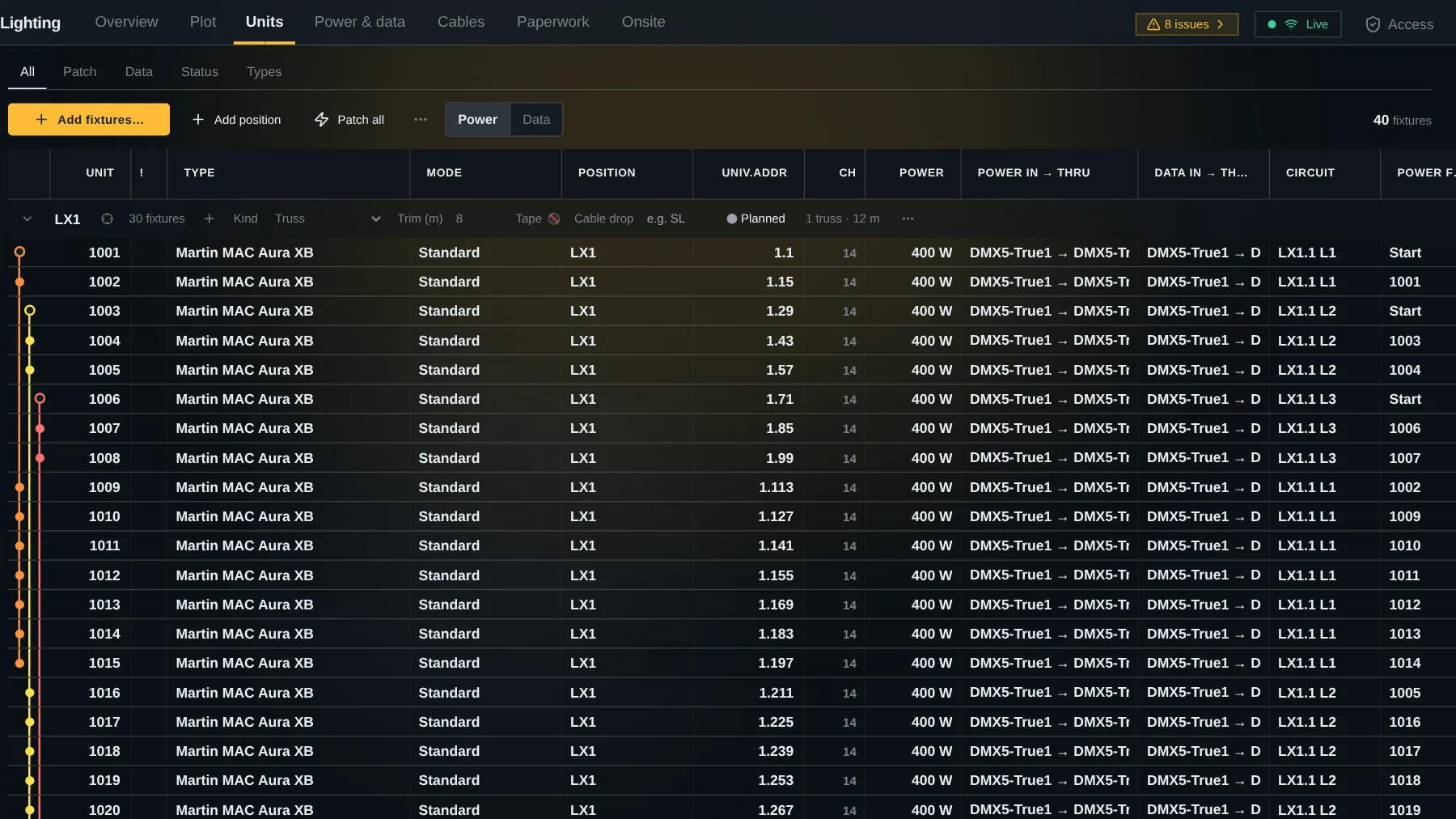
One row per fixture.
Fixtures sit under their position, like LX1 or SL boom, with unit, type, mode, DMX address, circuit and data port. Units edits like the input list: arrows, type over a range, copy and paste with a spreadsheet.
- Unit numbers start at 101 and continue what you started: after 101 the next fixture of that type is 102, and a new type starts the next hundred, 201.
- Patch keeps each position in one universe when it fits. A unit or address you type stays where you put it.
- Overlapping addresses and fixtures without a patch are flagged, never refused.
- Fixture types come from your own catalog, a built-in library of about 2,400 fixtures, or a GDTF file.
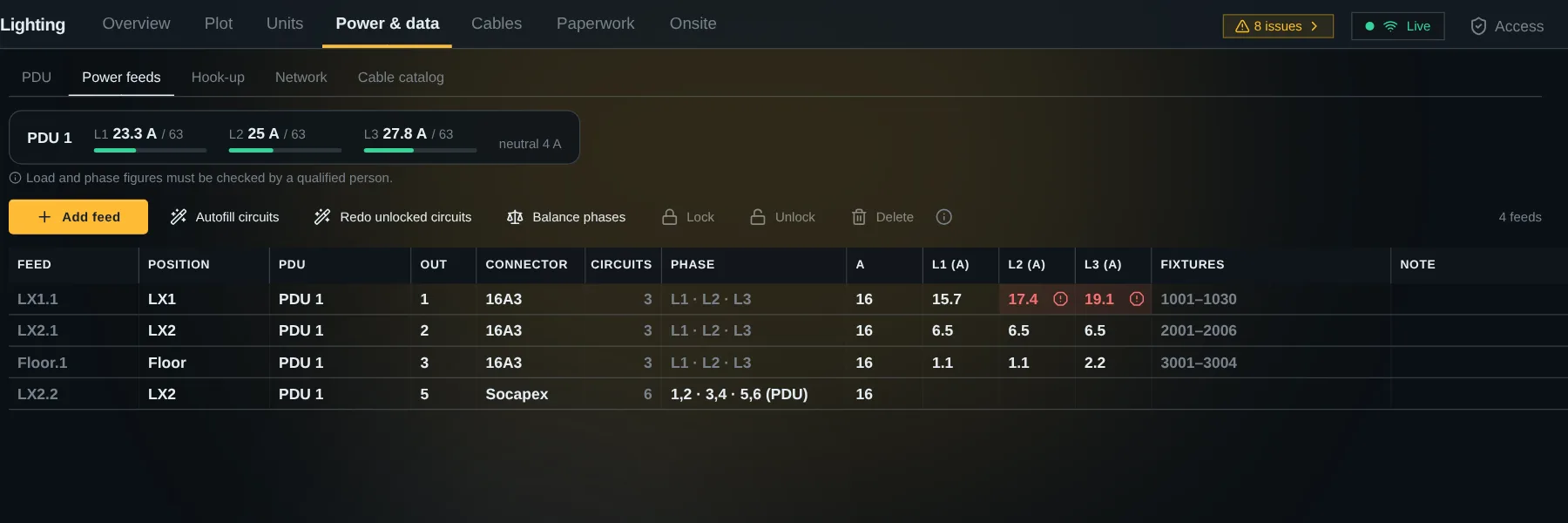
Power and data, down to the phase.
Set up PDUs and plug power feeds into their outlets. Each fixture goes on a circuit, and the amps on L1, L2 and L3 add up as you go.
- Circuits on 16A3, Socapex and single-phase feeds.
- Autofill circuits per position, with a preview before anything changes.
- Data nodes with one universe per port.
- A hook-up sheet per PDU that shows which units each phase carries.
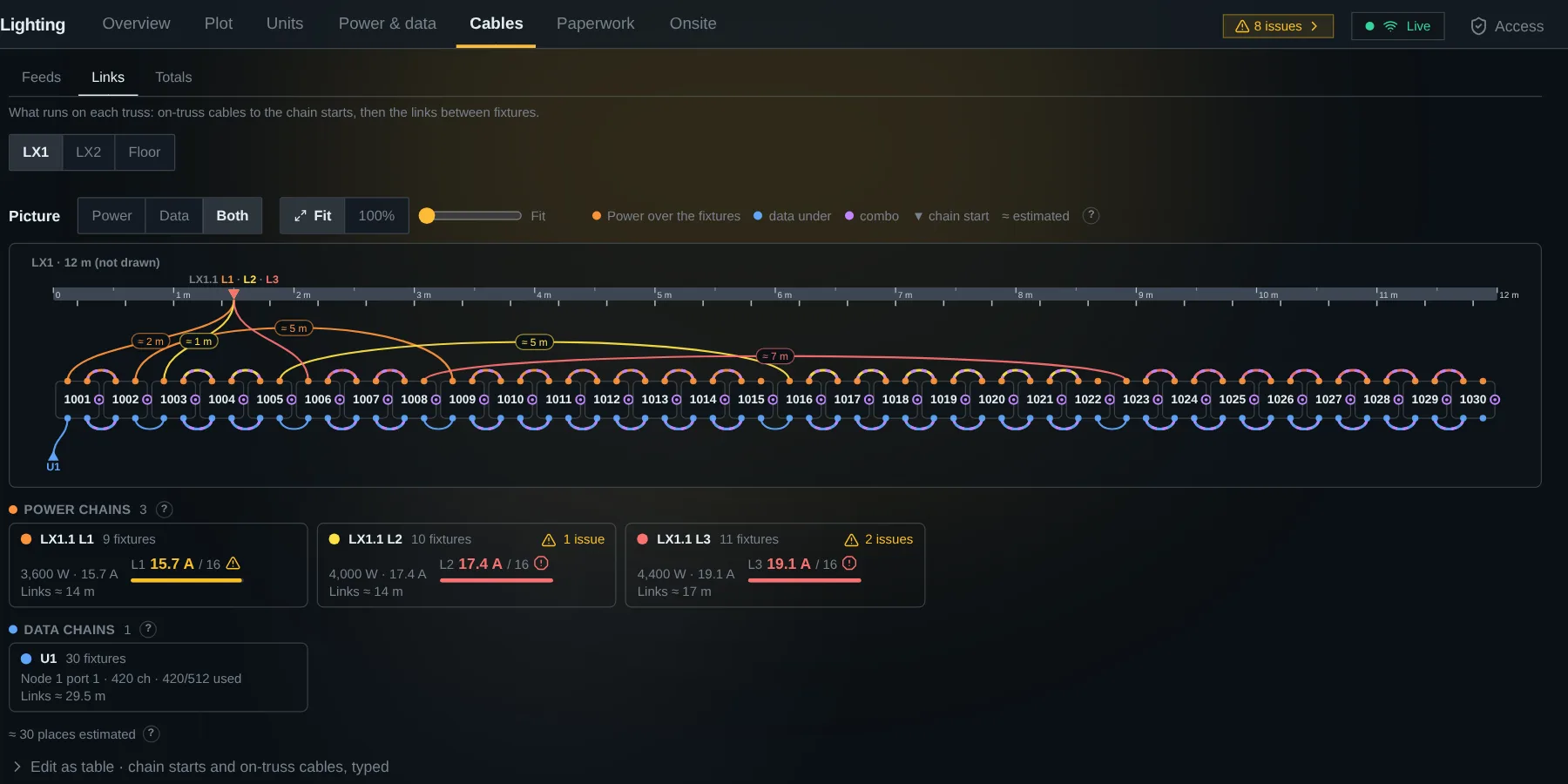
Cables with lengths, and the links between fixtures.
A feed is a cable from a PDU or node to its position, with its length from the route you draw. Power and data links between fixtures are worked out per circuit and universe, and you can redo any chain by hand.
- Links as a picture of the rig: trusses to scale, one arc per chain. Drag a thru to an in to relink.
- Adapters and breakouts where a connector changes.
- Totals per cable type and length for the pack list.
On the same 3D plot as everything else.
Draw trusses, hang fixtures on them and route the cables in the project's 3D plot, next to the stage and Sound's gear. Colour the fixtures by type, position or universe.
- Lighting's Plot tab opens the plot inside the module.
- Versions keep a snapshot of the stage and the rig to compare and restore.
Bring the drawing in as MVR.
Import an MVR file from Vectorworks, Capture or grandMA3. A preview shows what is new, changed and removed before anything is written, and an updated drawing goes through the same preview.
- Fixture types come from the file's GDTF, the library or your catalog.
- What you typed by hand is kept.
- The MVR file is read in your browser and not stored.
Paperwork, and the build on the day.
Print the full pack or one sheet: patch by unit, hook-up, positions and truss, looms, PDU and rack, network, summary and cable labels, with your organisation's logo. On the day, Onsite is a check list for the phone: each fixture goes Planned, Rigged, Powered, Tested, Focused, or Faulty with a note and a spare.
Try it on your next rig.
Add Lighting to a project, import an MVR or add fixtures, and tell us where it doesn't fit the way you work.